Website Architecture for Small Businesses: How to Structure Your Navigation for SEO
Is your website navigation confusing Google and your customers? Learn the practical, jargon-free rules for structuring your small business website architecture for better SEO and higher conversions.
If you have ever walked into a grocery store where the milk is next to the hardware supplies and the bread is hidden behind the pharmacy, you know what bad architecture feels like.
Your website is no different. When a potential customer lands on your site, they want to know exactly where to find your services, your service areas, and your contact information. If they have to guess, they will leave.
Not sure how your website is doing?
InspectRank checks your website for SEO, technical, local visibility and AI-readiness issues and turns the findings into a clear report.
Get My Free ReportBut website architecture isn't just about human convenience. It is a fundamental part of search engine optimization. Website architecture SEO is the practice of organizing your pages, URLs, and navigation so that Google—and increasingly, AI search engines—can understand exactly what your business does and which pages are the most important.
You do not need a massive, complex database structure. For a small business, the goal is clarity. Here is how to structure your website navigation to rank higher and convert more visitors.
Why Website Architecture Matters for Small Businesses
Many small business owners treat their website like a digital brochure, adding new pages randomly whenever they launch a new service or write a blog post. Over time, this creates a tangled mess. A clean site structure solves three major problems:
1. It helps Google crawl your site
Google uses automated bots to "crawl" your website by following links from one page to another. As noted in Google's SEO Starter Guide, a logical navigation structure helps search engines understand what content is available and how important it is. If a page is buried five clicks deep with no links pointing to it, Google might assume it isn't important—or worse, fail to index it entirely.
2. It keeps customers from bouncing
A confused mind says no. If a homeowner needs emergency roof repair, they do not want to click through a vague "Solutions" menu, read your company history, and hunt for a phone number. Good architecture guides the user to their exact solution in seconds.
3. It builds topical authority
Search engines want to rank experts. By grouping related pages together (e.g., a main "Landscaping" page linking to specific "Lawn Care," "Hardscaping," and "Tree Removal" pages), you prove that you have deep expertise in your industry.
The Best Website Architecture for Local Businesses: The Flat Structure
Enterprise e-commerce sites with millions of products need complex, multi-layered architectures. Small businesses do not. You should use a flat architecture.
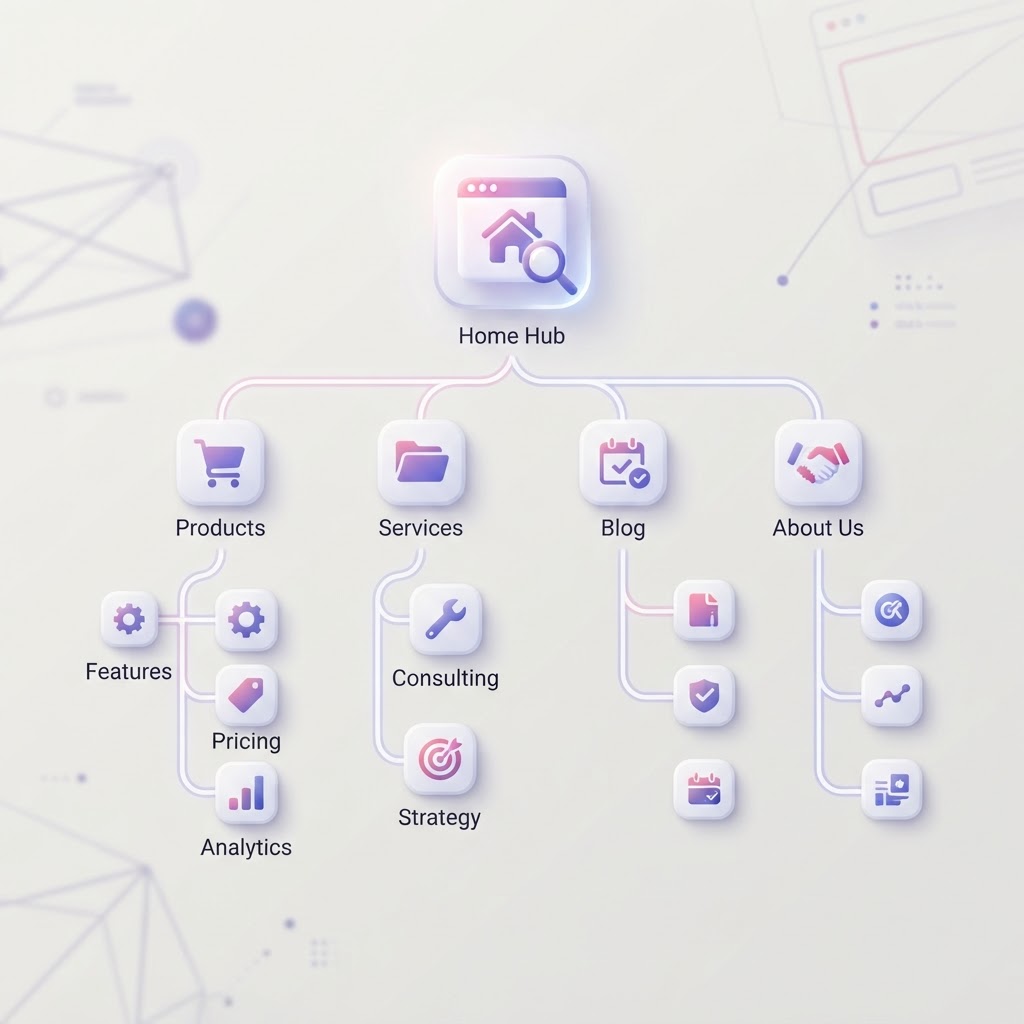
A flat architecture means that every page on your website is accessible within three clicks from your homepage. It relies on a clear, top-down hierarchy.
Imagine a simple flowchart. At the top is your Homepage. Directly below it are your main category pages: Services, About Us, Service Areas, and Contact. Directly below the "Services" category are your specific individual service pages (e.g., Emergency Plumbing, Water Heater Repair, Drain Cleaning). No page is buried. Everything flows logically from broad to specific.
5 Practical Rules for Structuring Your Navigation
You do not need to be a web developer to fix your site structure. Follow these five practical rules when setting up your menus and pages.
1. Use Topic-Based Labels, Not Format-Based Labels
One of the most common mistakes small businesses make is organizing their navigation by the format of the content rather than the topic. As highlighted by Orbit Media's navigation research, visitors do not go to websites looking for "Resources" or "Media." They go looking for answers to specific problems.
| Format-Based (Bad for SEO) | Topic-Based (Good for SEO) |
|---|---|
| Services | HVAC Services |
| Resources | Heating Repair Guides |
| Media / Videos | AC Installation Examples |
| Solutions | Commercial Refrigeration |
Topic-based labels tell both the user and Google exactly what the page is about before they even click. This is also a great reason to stop using vague corporate speak on your site.
2. Keep Your URLs Simple and Nested
Your URL structure should mirror your website architecture. When a user looks at the web address, they should understand exactly where they are on your site.
Not sure how your website is doing?
InspectRank checks your website for SEO, technical, local visibility and AI-readiness issues and turns the findings into a clear report.
Get My Free Report- Bad URL:
yourbusiness.com/page-id=492(Tells Google nothing) - Bad URL:
yourbusiness.com/services-new-final(Messy and unprofessional) - Good URL:
yourbusiness.com/services/water-heater-repair(Clear, nested, and keyword-rich)
By placing "water-heater-repair" inside the "services" folder, you are giving search engines clear context about how this page fits into your overall business.
3. Connect Pages with Internal Linking
Your main navigation menu is important, but it isn't the only way pages connect. Internal links—hyperlinks within the actual text of your pages—are the connective tissue of your website architecture.
If you have a main page about "Pest Control," it should naturally link out to your specific pages on "Termite Inspection" and "Rodent Removal." Those specific pages should link back to the main Pest Control hub. This creates a "topic cluster" that passes SEO authority between your pages. If you are new to this concept, learning the basics of internal linking is one of the highest-ROI activities you can do for your site.
4. Use Subfolders, Never Subdomains
When adding a blog or a store to your website, your website platform might ask if you want to use a subdomain (e.g., blog.yourbusiness.com) or a subfolder (e.g., yourbusiness.com/blog).
Always choose the subfolder. SEO industry consensus and Google's own documentation confirm that search engines sometimes treat subdomains as entirely separate websites. If you put your blog on a subdomain, all the great content you write might not pass its SEO value back to your main service pages. Keep everything under one roof.
5. Avoid the "Dropdown of Death"
It is tempting to put every single page of your website into a massive dropdown menu at the top of your site. Do not do this. Massive dropdowns overwhelm users, look terrible on mobile devices, and dilute the SEO value of your most important pages.
Instead, keep your top navigation clean (4 to 6 main items). If you have 20 different services, link to a single "Our Services" hub page. On that hub page, list and link out to the 20 specific services. This forces a clean hierarchy.
How AI Search is Changing Site Structure
Traditional SEO relied heavily on exact-match keywords. Today, search is evolving. With the rise of ChatGPT, Perplexity, and Google's AI Overviews, search engines are shifting toward Generative Engine Optimization (GEO).
AI search engines do not just look for keywords; they look for relationships between concepts. They want to see that your website is a complete, authoritative resource on a topic. If your website architecture is fragmented—with a blog post about tax prep over here, and a service page about accounting over there, with no links connecting them—the AI struggles to understand your expertise. A tight, well-linked architecture is a core component of AI search readiness.
Conclusion: What to Do Next
You do not need to tear down your entire website today. Start by auditing your current structure. Click through your own website on a mobile phone. Ask yourself:
- Are my main services obvious from the homepage?
- Are my navigation labels clear, or am I using vague jargon?
- Is there any page on my site that takes more than three clicks to find?
- Are my URLs clean and descriptive?
Fixing your website architecture SEO is like organizing a messy toolbox. It takes a little effort upfront, but once everything is in its proper place, both your customers and search engines will find exactly what they need to hire you.
Sources & references
See what InspectRank finds on your website
Get a clear report covering website SEO, technical health, local visibility and AI search readiness.
Get My Free ReportRelated guides

Return Policy SEO: Using Your Guarantee as a Massive Trust Signal
Stop hiding your return policy in the footer. Learn how local retailers and e-commerce businesses can use return policy SEO and structured data to build trust and rank higher.
Portfolio Page SEO: How Contractors and Creatives Can Rank Their Past Work
Stop hiding your best work in unsearchable image galleries. Learn how contractors and creatives can optimize their portfolio pages for SEO to drive high-intent traffic and local leads.
SEO for Family-Owned Businesses: Using Your Heritage to Build E-E-A-T
Learn how family-owned businesses can leverage their multi-generational heritage and community ties to build E-E-A-T and dominate local search rankings.

Podcast SEO for Small Businesses: How to Turn Audio Content Into Local Search Traffic
Search engines cannot listen to your audio. Learn how small businesses can use podcast SEO to turn recorded conversations into local search traffic and AI recommendations.

Offline Conversion Tracking: How to Connect In-Store Sales to Your Website SEO
Stop guessing if your SEO is working. Learn how small businesses can use offline conversion tracking to connect website traffic to in-store sales and phone calls.